Designing an Advanced UX Curriculum for Future Practitioners
I built an advanced UX curriculum for Tulane students learning how product design works in practice: carrying one client brief through research, structure, systems, interface design, critique, iteration, and portfolio-ready storytelling.
- Type
- University course · Advanced UX curriculum
- Role
- Adjunct Lecturer, curriculum designer, mentor
- Scope
- Lectures, exercises, critique, assignments, assessment, student work
- Status
- Taught once; revising for second semester
- Tools / Methods
- Figma, critique, project briefs, design systems, service design, AI-aware UX practice
Currently revising the curriculum for its second semester as UX practice, product design, and AI-assisted workflows evolve rapidly.
I designed this course as a single, semester-long client simulation. Students chose one client brief at the start and carried it through every module — from scope and research into flows, information architecture, wireframes, design systems, ecommerce UX, critique, iteration, and final portfolio storytelling.
I wanted them to experience UX as a continuous decision-making practice: each assignment built on the last, earlier choices had consequences later, and the final deliverable was a coherent case study, not a folder of disconnected exercises.
UX education can become a sequence of disconnected artifacts. I designed this course to simulate how product work actually compounds: students carried one client brief through research, structure, design systems, ecommerce flows, critique, iteration, and final portfolio storytelling.
The real challenge was teaching product judgment, not just deliverables. Students needed to learn how to decide what matters, respond to constraints, and make their work stronger through critique and iteration — all while keeping the same brief alive across every sprint.

- 01Project scope + client brief analysis
- 02User flows + inclusive design
- 03Sitemap + information architecture
- 04Wireframing key user flows
- 05Scalable design systems + UI components
- 06High-fidelity mobile-first design
- 07Prototyping components + screens
- 08Product listing / catalog experience
- 09Individual detail page experience
- 10Checkout process optimization
- 11Post-purchase confirmation + email
- 12Portfolio case study + final presentation
- ★Final assessment: portfolio website case study
I structured the course to feel more like a product team than a traditional class sequence. Students selected one client brief at the beginning of the semester and carried it through sprint-based modules, building on earlier decisions as they moved from research and structure into design systems, ecommerce flows, critique, iteration, and final portfolio storytelling.
The goal was to help students leave the course ready to work: incomplete briefs, evolving constraints, critique cycles, handoff thinking, and decisions that compound over time.
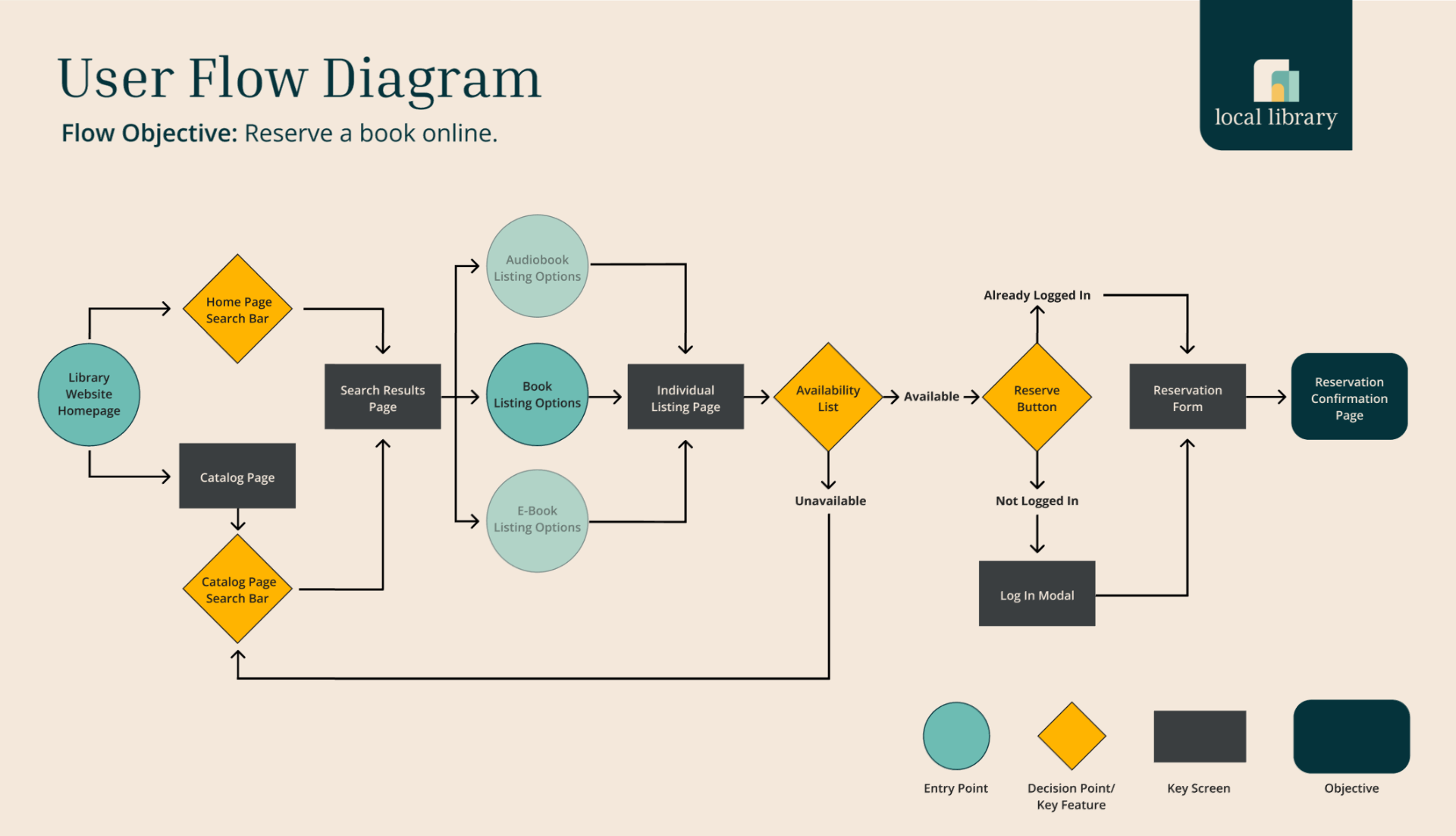
I created four realistic client briefs so students could choose one audience, product challenge, and brand direction to carry through the semester. Each option gave them a defined set of deliverables and constraints to work against from day one.



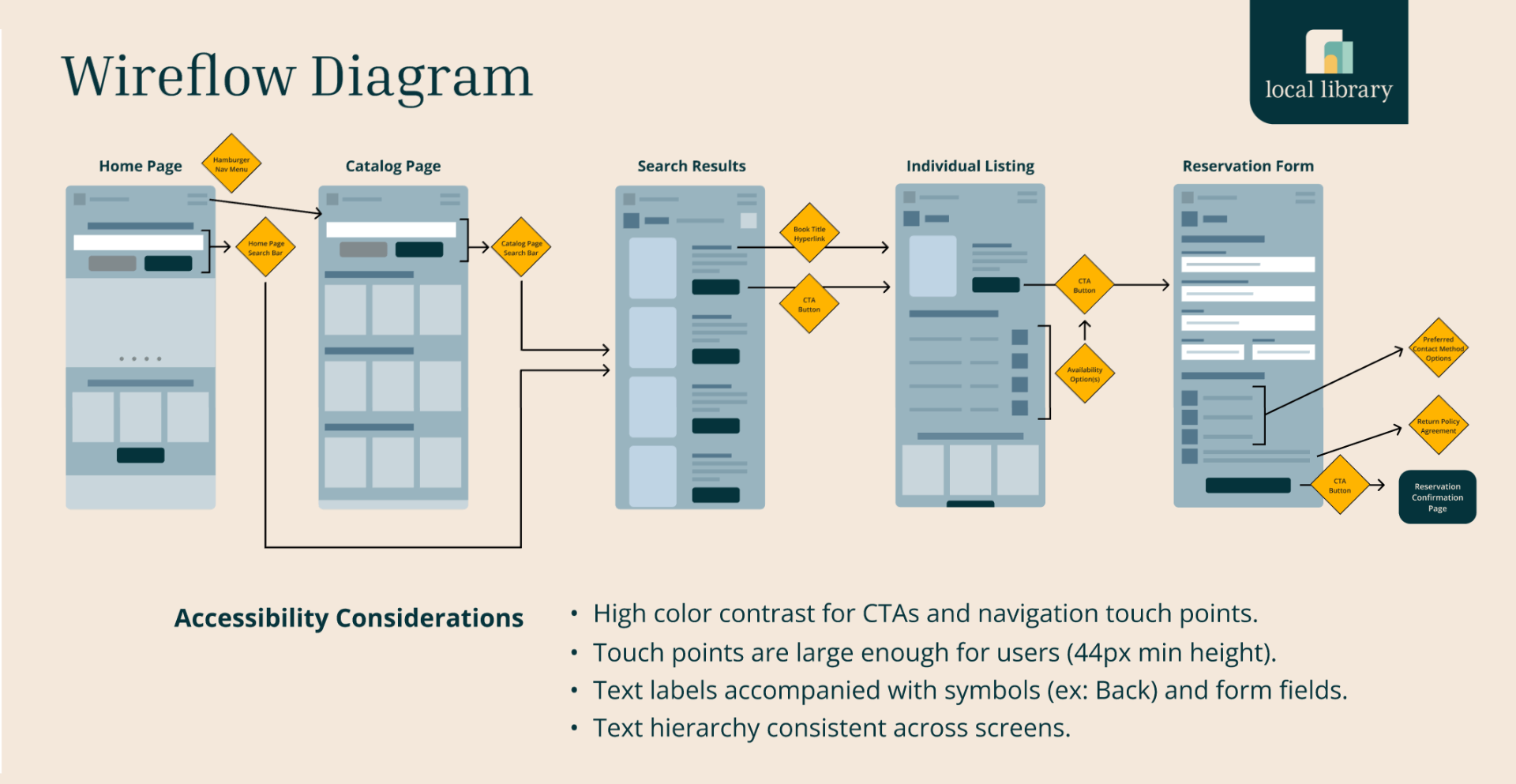
I organized the course around six practices that reinforce cumulative decision-making.
Because students worked the same client brief all semester, every module built on the last — earlier choices had to hold up later, and the design system, ecommerce flows, and portfolio story all extended the same product experience.
Late in the semester, I introduced a surprise brand-adaptation sprint to mirror a scenario I have experienced in product work: a team is deep into a client build, time and budget are committed, and the client changes brand direction midstream. The assignment tested whether students had built their design systems cleanly enough to adapt without starting over.
The lesson was deliberate: visual polish matters, but scalable structure matters more. Students who had built reusable components, clear type hierarchy, color tokens, and organized Figma files could update their work quickly. Students who had treated each screen as a one-off layout felt the pain immediately.
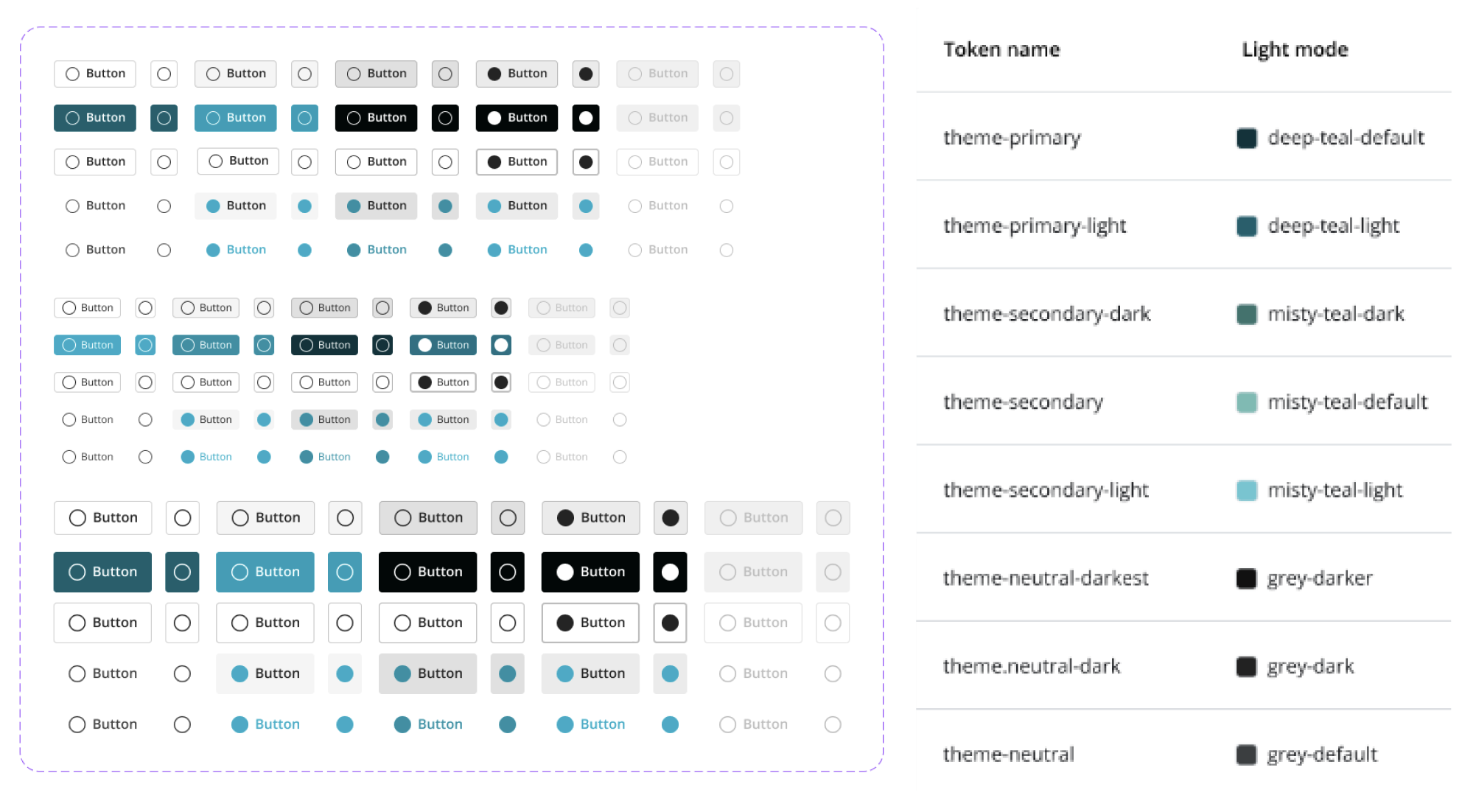
Students were evaluated on whether their design system could absorb a late-stage brand change without sacrificing consistency, accessibility, or handoff quality.
- Brand refresh adaptation
- UI kit updates
- Design consistency
- Accessibility compliance
- Developer handoff package
- Documentation and delivery
- Can the design system absorb a new brand direction?
- Are components reusable or one-off?
- Does accessibility hold through visual change?
- Is the file organized enough for handoff?
- Can students explain what changed and why?
After the first semester, I began revising the course for a second run because UX practice is changing quickly. The next version will place more emphasis on AI-assisted workflows, faster prototyping, stronger critique habits, and the judgment required to know when automation helps versus when it weakens the work.
From uncertainty to defensible design decisions.
I designed the course to help students move from a chosen client brief to structured, explainable design work — carrying the same project through research, structure, screens, ecommerce, critique, and a final portfolio case study they could speak to with confidence.
- Step 01Chosen client brief
- Step 02Research / problem framing
- Step 03User flows + IA
- Step 04Wireframes
- Step 05Design system + UI
- Step 06High-fidelity screens
- Step 07Ecommerce + post-purchase
- Step 08Critique + iteration
- Step 09Final portfolio case study
Students translated their semester-long product work into a portfolio-ready UX case study and short presentation, practicing how to communicate process, rationale, outcomes, and design decisions to hiring managers and stakeholders.
- Portfolio case study page
- Refined high-fidelity prototype
- 5–7 minute presentation
- Before/after Figma files for comparison
- Problem statement and project goals
- Research methodology and insights
- Design process, wireframes, prototypes, and iterations
- User testing and refinement
- Final solution and outcomes
- Lessons learned and next steps
- Accessibility considerations
- Key design decisions and rationale
- Presenting UX work clearly
- Explaining product and design decisions
- Connecting process to outcomes
- Speaking to hiring managers and stakeholders
- Turning classroom work into portfolio-ready evidence
A course built around practical design maturity.
The outcome was not just a set of student deliverables. It was a repeatable curriculum for teaching advanced UX as a practical, judgment-based discipline — one that connects process, systems, critique, and communication.
This course reflects the same leadership I bring to product teams: creating structure from ambiguity, turning complex work into a clear progression, using critique to raise quality, and helping people make stronger design decisions under real constraints.